1. What is happening with the showcase right now?
1.1. What can the current showcase builder within CPA do?
Our platform already includes a standard showcase builder, and it is quite capable: it offers various rotation options for offers, including smart sorting using user click and conversion history; the ability to park your own domains; the ability to add custom scripts via Google Tag Manager; and the ability to use created showcases in ready-made integrations with GA4 and Facebook, among other features. According to statistics, we see that many webmasters use showcases — the demand for creating new showcases and the traffic to them is not falling.
1.2. Where does the builder hit a wall?
The main difficulty is that we are a CPA network. For showcases to work the same way everywhere and for everyone, we have to maintain a unified technical framework. This framework is difficult to maintain and update, which is why our showcases are minimalistic and legally standardized to meet the market requirements of each GEO. A universal solution cannot suit everyone equally well, and as soon as a webmaster wants something of their own, they have to do it themselves.
Live examples of what webmasters ask for, but the standard showcase does not provide:
- A quiz for pre-warming the audience — so that “hotter” traffic with strong intent goes to the offerwall.
- A lead collector (a very frequent request).
- Non-standard offer display logic — random or custom ranking.
- Timers and other clickbait widgets.
- Exit intent popups, “don’t leave” prompts, and other scripts that increase conversion.
1.3. We have an API — and what does it open up?
For custom funnels, we created an Offerwall API. When you create and save a showcase in our builder, it gets an endpoint through which you can request all the offers of this showcase. This means you no longer need to configure anything in the builder, but can simply have a fast “wrapper” that pulls offers via API — and design any logic you want for yourself. The offers themselves can be flexibly edited: sorting by your own metrics or general affiliate program metrics, quantity, country. This is the simplest, most “blunt” way to use the API.
But our API is not only for showcases. In the settings, there are other APIs: you can retrieve your statistics for a signal about something important (about conversions, about traffic), track traffic, download offers connected to your account, and get the full history of redirects and postbacks for a user from our tracker. And all this is quite flexible.
We laid the foundation for these APIs back in 2019 — back then for programmers, understanding that diverse marketing funnels would require custom solutions. But technologies have taken a big step forward, and now this API can be used together with AI tools. This is the idea we want to share.
We already have everything you need to build the showcase of your dreams without programmers in 20 minutes — and that is not clickbait.
2. New approach: universal prompt instead of constant revisions
2.1. Why did we stop “giving everyone the same thing”?
We have reached a point where development has become so fast that it no longer matters as much exactly how you build a product — through regular web coding or agentic coding on the latest Claude models. There are already many tools for this. And if you are not using them yet, it is worth paying attention, because you are already lagging far behind. These are the cutting-edge marketing technologies today. At the same time, the barrier to entry is extremely low: to get started, you only need to know a few basic rules.
Although, of course, we recommend that everyone take at least the open Anthropic Academy courses — they are free and accessible to everyone who wants to learn.
2.2. What is a universal prompt?
We have developed and debugged a prompt — a universal approach for any agentic or vibe-code service development. We tested it inside Lovable: the result is almost always the same and acceptable, essentially “out of the box.” And if problems arise, almost everything can be solved right in the dialogue with plain text. From there, you can either use what is already there or develop it into something of your own.
2.3. Who is it designed for?
The prompt is designed for both beginners and experienced users who will be able to refine everything. Experienced users, as a rule, have been with us for a long time and use our APIs — we see this from the number of requests, as well as from your feedback, thanks to which we often roll out new improvements. The point of “universal” is that the prompt can be used as is: you answered a few questions — and almost immediately got a result that can be used practically out of the box. But there is no limit to perfection, so it can be refined further.
3. Lovable — the simplest entry point
3.1. Why Lovable specifically?
Lovable has a well-thought-out, very user-friendly architecture and already configured agent orchestration. Free and starter credits are enough to assemble and test a simple showcase (building one such showcase usually takes about 30–60 credits). Yes, there are questions about it when developing large systems. But for rapid prototyping, hypothesis testing, and medium-complexity showcases with a load of about 1,000–5,000 people per day, such solutions are perfectly fine — and everything looks good and beautiful.
3.2. What will you actually get in a few dozen minutes?
In a few dozen minutes, you will have a showcase for your chosen geography plus an admin panel where you just need to enter your API key. Furthermore, you can customize both the offers themselves and the appearance — there is a lot of card customization for each offer snippet, with an instant preview. But most importantly — you can continue working right in the same Lovable session: see what is being created, and refine it on the fly, making it something unique and suitable specifically for you.
Options for technical improvements to the PDL-showcase for different markets: loan calculator, quiz pre-warming, geo-logic, “first loan 0% / no refusal” filters, custom ranking, badges and timers, session memory, lead collector, mobile adaptation, and subid insertion.
4. Step-by-step showcase building process
The main rule for a beginner: plan first, build second. The most common mistake is starting to build without understanding exactly what you are building. In the current version of Lovable, the main modes are Plan mode (formerly Chat mode) and Build mode (formerly Agent mode). By default, Lovable starts building in Build mode; to plan everything first, switch to Plan mode.
4.1. Step 1 — load the prompt into Lovable
Open Lovable and paste our universal prompt into the message field.
4.2. Step 2 — work in Plan mode
Before sending, switch to Plan mode. Lovable will not touch the code, but instead asks clarifying questions and gathers a clear plan. When you are satisfied with the plan, switch to Build mode — and Lovable will build it strictly according to the plan.
4.3. Step 3 — run it, see the result, debug
Our advice is to build “frontend first”: start with the appearance using test data.
4.4. Step 4 — describe improvements in text
Describe any change in words: “make the offer card larger and add a badge.” Work “brick by brick.”
4.5. Step 5 — connection to the CPA API
In the showcase admin panel, insert your API key — and the showcase starts pulling real offers.
4.6. Preparing the showcase
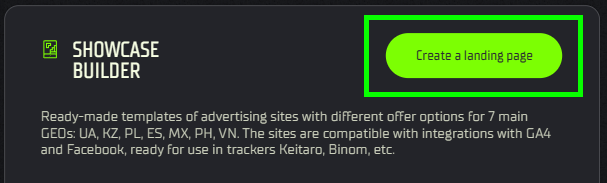
Before starting, ensure that your showcase is set up: If the showcase has not been created yet, create it first and add all the necessary offers to it.
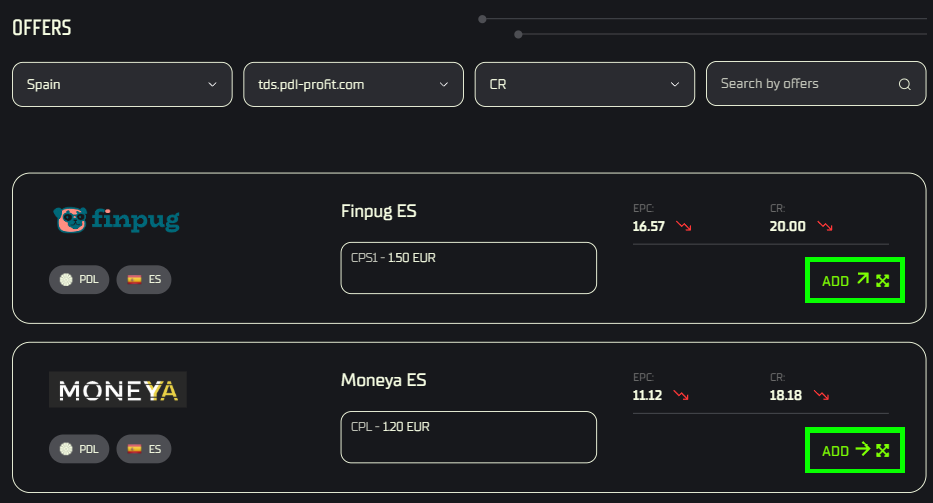
Access: copy the Endpoint and API key on the showcase page.
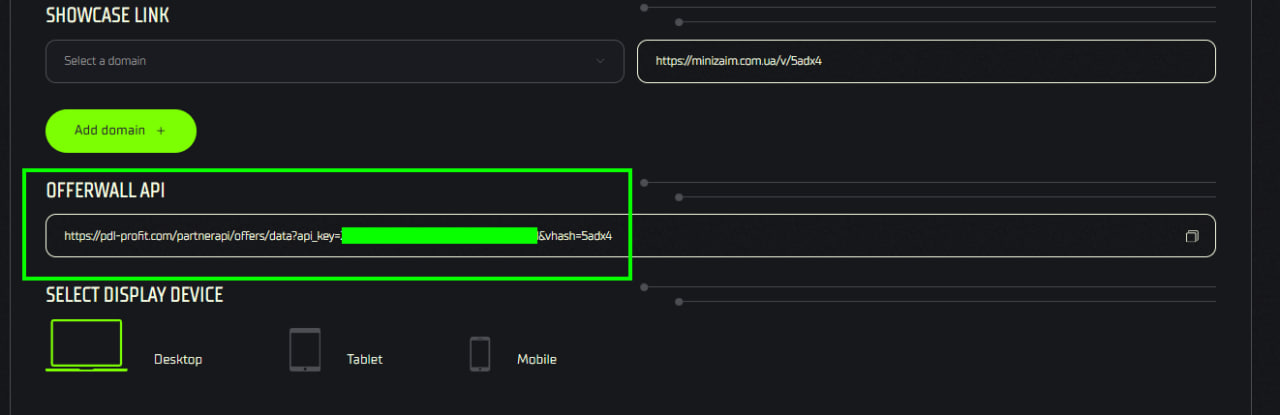
Data retrieval (API). The Offerwall API provides data in JSON format. This JSON contains an up-to-date list of all offers that have been added to your showcase.
AI integration. After passing the JSON to the system, the AI automatically reads the offers for further processing.
No-code management: to change the order or composition of offers, there is no need to change the code — it is enough to make changes in the builder.
4.7. If something goes wrong
How to do it: “The login form is not responding, help me understand why” — be specific.
How NOT to do it: “it doesn’t work for me.”
5. Practice: how to work with the prompt and how not to
5.1. What to do
Start in Plan mode, build brick by brick, and formulate requests concretely.
5.2. What to avoid
Do not change the task halfway through, and do not hit “Try to Fix” endlessly.
5.3. Knowledge base
Lovable has a Knowledge base — persistent instructions.
Workspace knowledge: general rules for all projects.
Project knowledge: the context of a specific showcase.
6. This is just an example — where you can grow from here
6.1. A basic showcase is a template
It is a foundation that scales according to your tasks.
6.2. The current version is worth refining
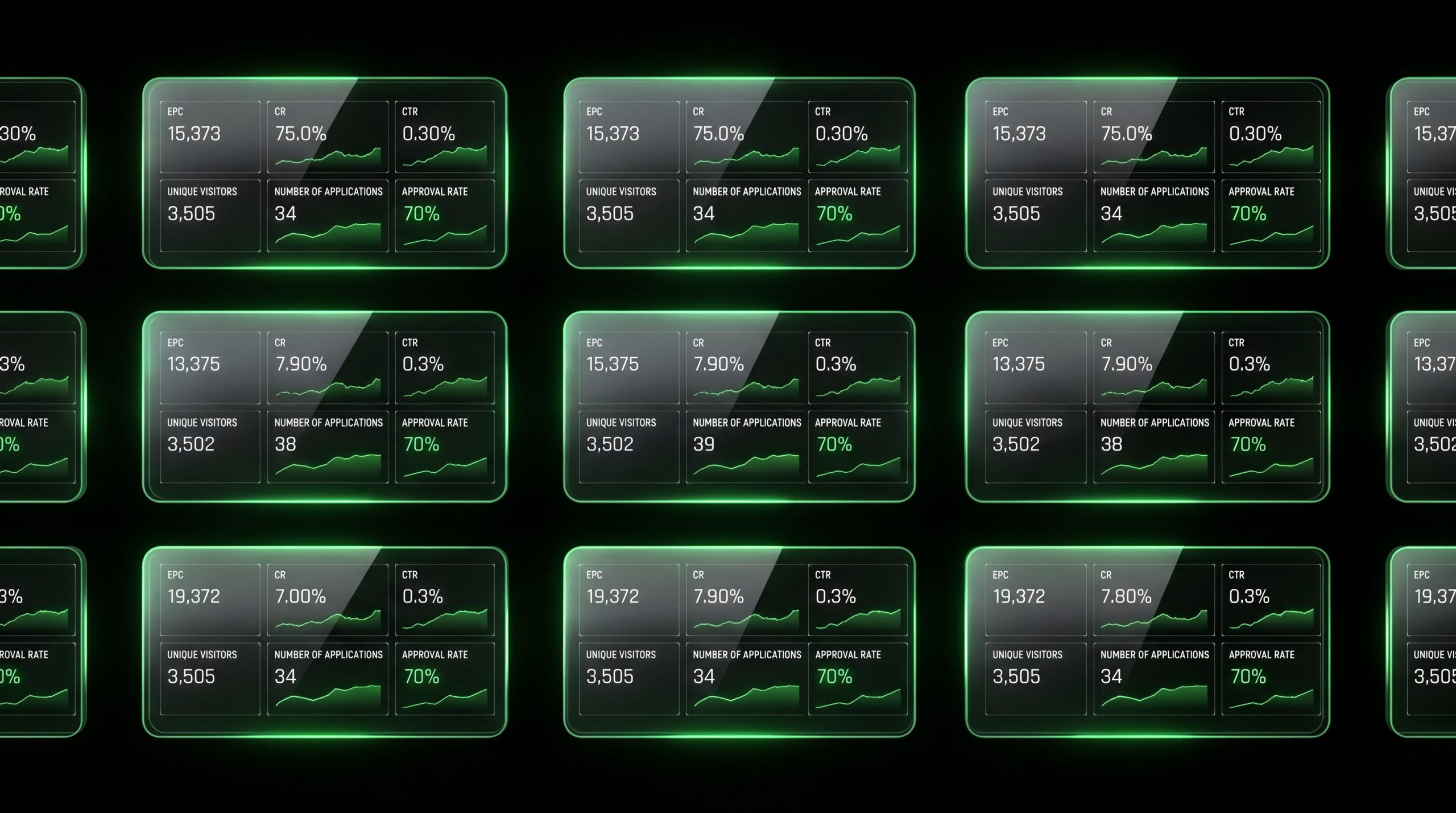
Statistics: it is important to collect and display key metrics. For a confident start, we recommend implementing:
- EPC (Earnings Per Click) — income per click;
- CR (Conversion Rate) — conversion from click to application;
- Offer CTR — clickability of cards;
- Unique Visitors — number of unique visitors;
- Number of Leads — number of applications;
- Approval Rate (AR) — percentage of approvals.
And also the basic showcase setup:
- authorization;
- state saving;
- Privacy Policy;
- cookies and attribution.
6.3. You can think bigger
Based on the showcase, you can build a full-fledged CRM system with re-engagement, push notifications, and complex funnels. On limits (for expertise): Supabase returns a maximum of 1,000 rows via API by default (this value is configured in Project Settings → API → Max Rows). If you need more, this is solved by pagination via range().
7. FAQ
Do I need to know how to program? No.
Is it difficult and long? The first working showcase takes a few dozen minutes.
How much does it cost? Lovable has a free plan with a limited number of credits (about 5 credits per day). They are enough to try the tool and build a simple showcase. If you plan to scale the project or make frequent changes, a paid plan is required: they start from approximately $25 per month for 100 credits (Pro plan) and up — the more expensive the plan, the more credits you have and the fewer restrictions there are on generation and deployments. Credits are deducted for each message to the AI and are renewed monthly within the subscription. Lovable’s rates and packages change periodically, so see the current prices on the official page:
Where do the offers come from? They are pulled via API from the affiliate program.
What if something breaks? Describe what is wrong in the dialogue.
Is it legal and safe? Yes, but do not forget about the Privacy Policy. This is a mandatory element: even for a simple offer showcase, the site must have a Privacy Policy, as you are collecting data on user clicks and redirects.
8. Conclusion
Previously, you needed a programmer for a custom showcase.
Now, you do not.
Build your showcase!